Did you know you can use Vesloo just like a native app without ever visiting the App Store? Our forum is built with modern technology that allows you to install it directly to your phone’s home screen for a fast, dedicated experience.
Why You Should Install the Vesloo App
- Instant Access: Open Vesloo with a single tap, just like any other app on your phone.
- Faster Performance: It often loads quicker and performs more reliably than using a regular browser tab.
- No App Store Hassle: No downloads, no updates to manage—it just works.
- Push Notifications: Receive notifications for new messages and replies directly to your phone (if you enable them).
How to Install Vesloo on Your iPhone or iPad when you use Safari browser
- Open the Safari web browser on your device and navigate to
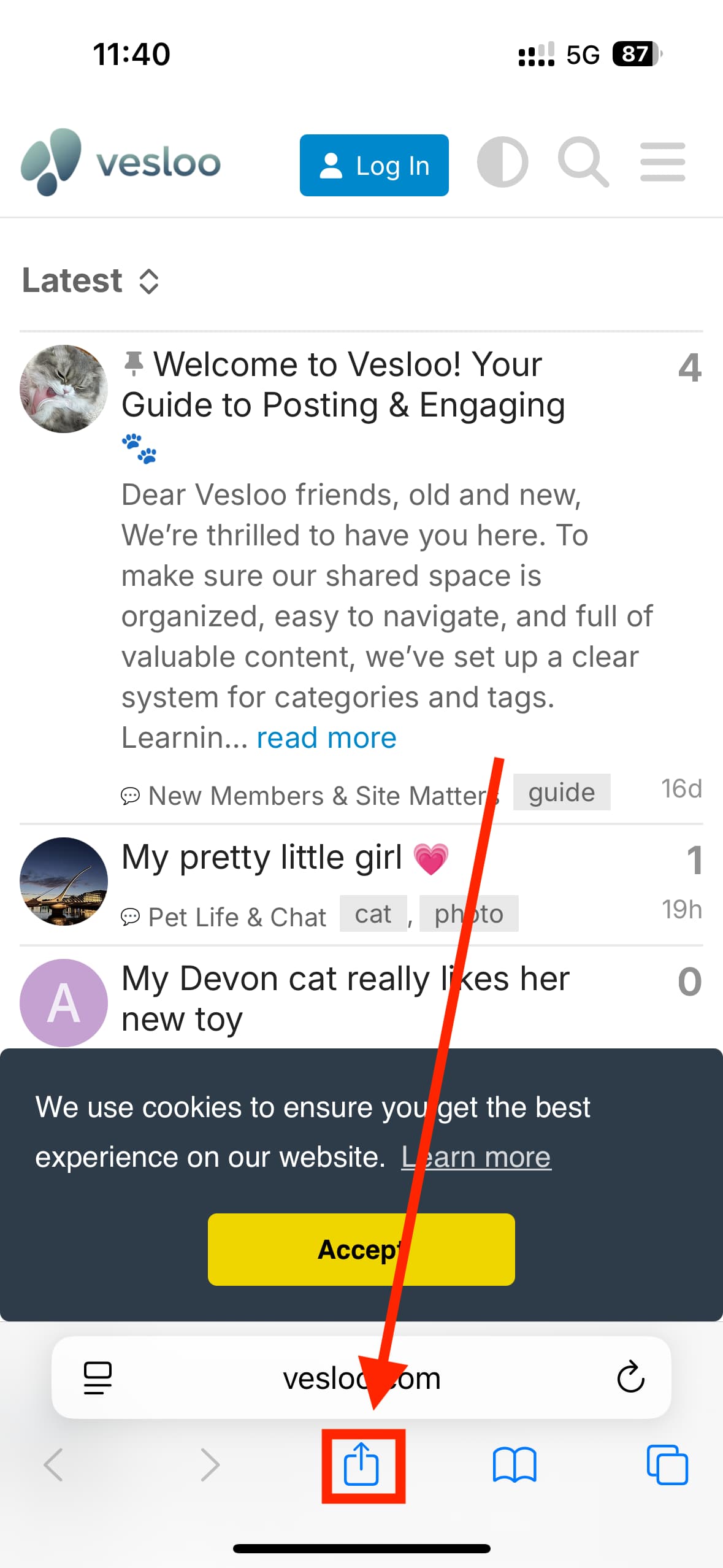
https://www.vesloo.com. - Look for the “Share” button at the bottom of the screen. It’s a square with an arrow pointing up. Tap it.
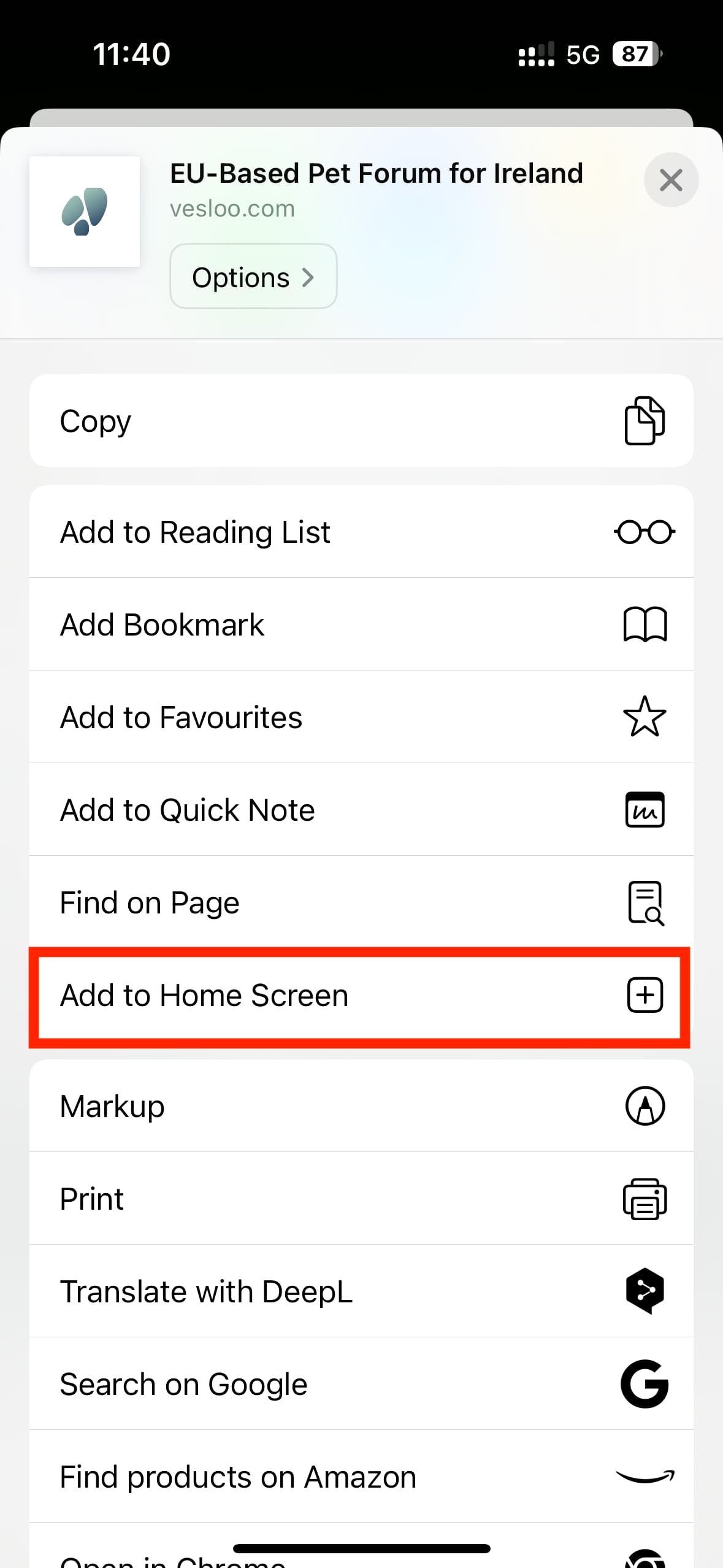
- In the menu that appears, scroll down until you see the option “Add to Home Screen”. Tap it.
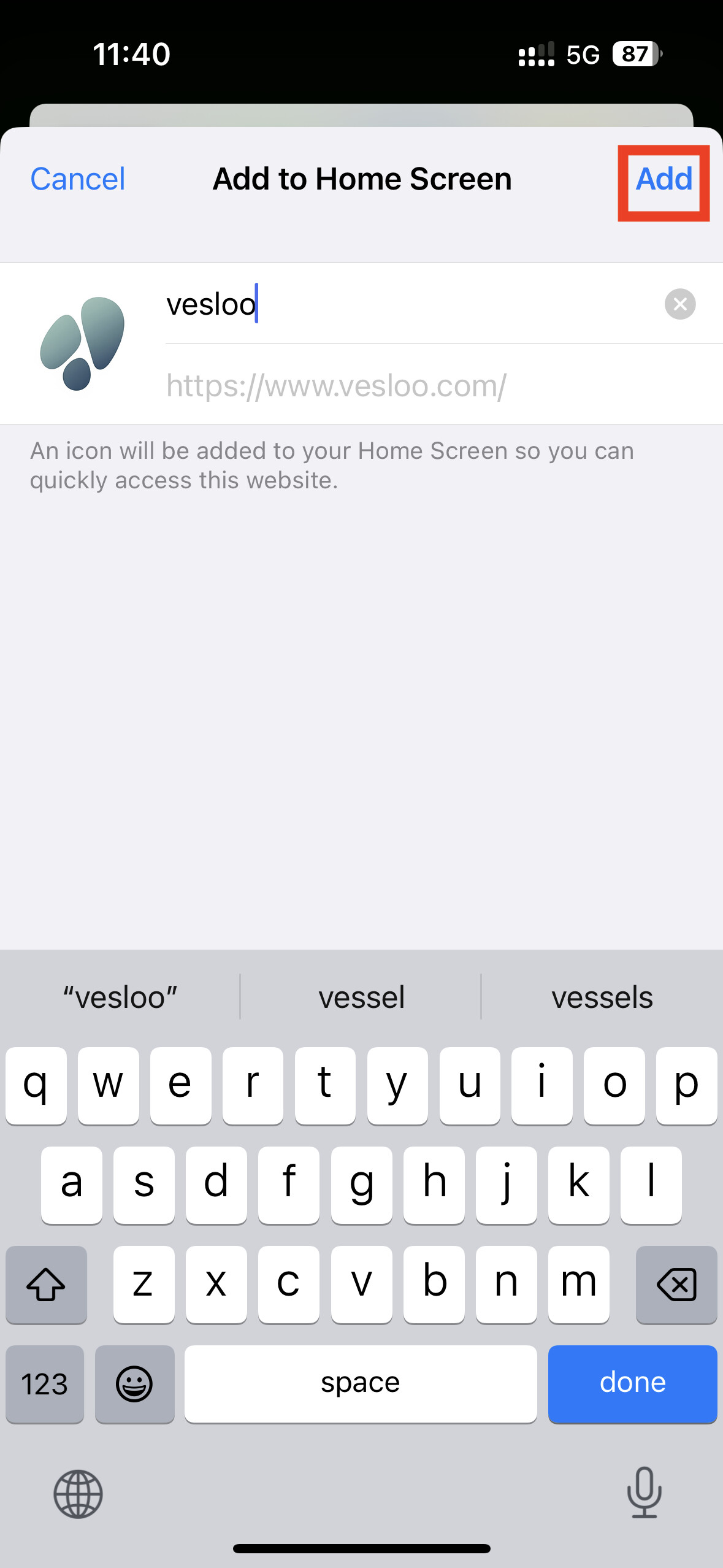
- You’ll be able to edit the name. Just tap “Add” in the top right corner.
step 1
step 2
step 3
That’s it! The Vesloo icon will now appear on your home screen, ready for one-tap access.
How to Install Vesloo on Your Android Device
- Open the Chrome web browser on your device and go to
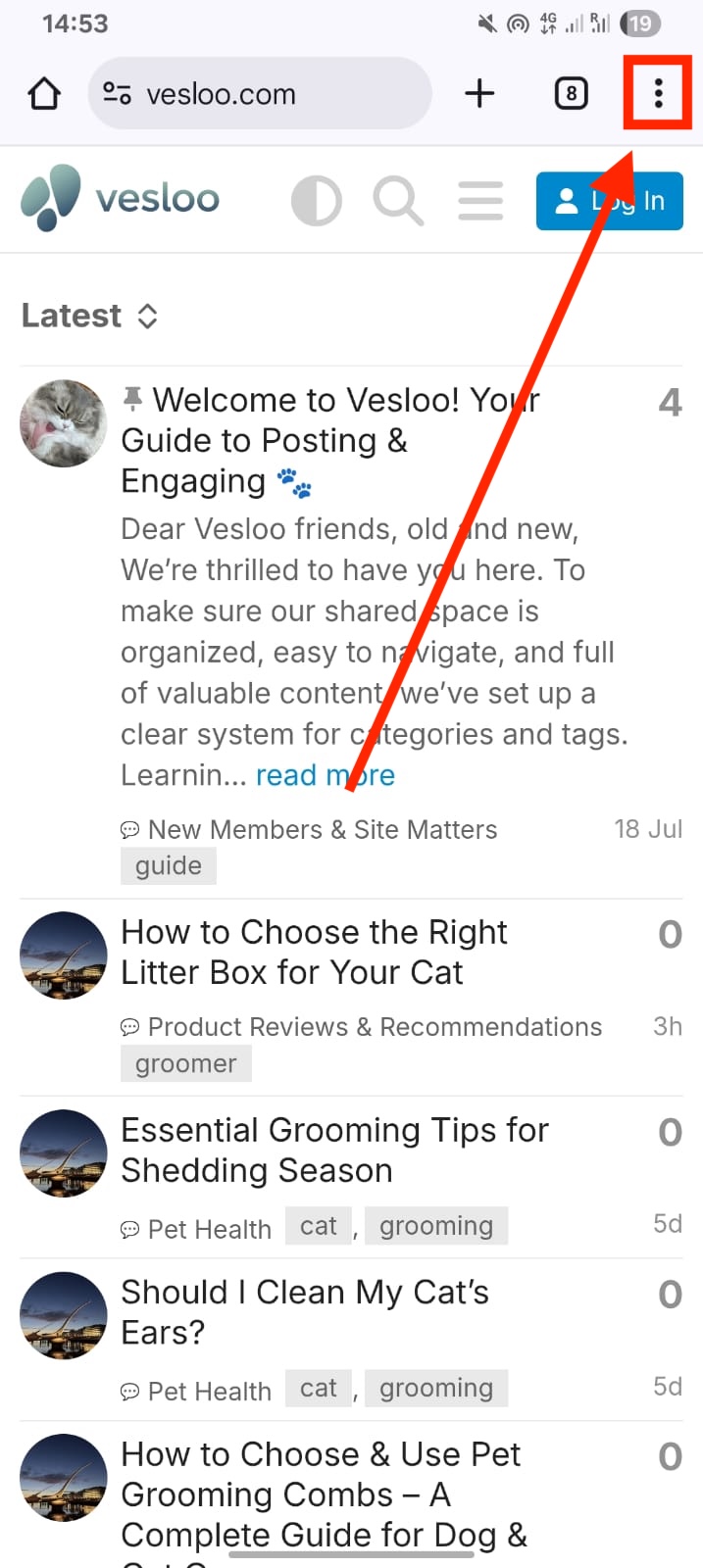
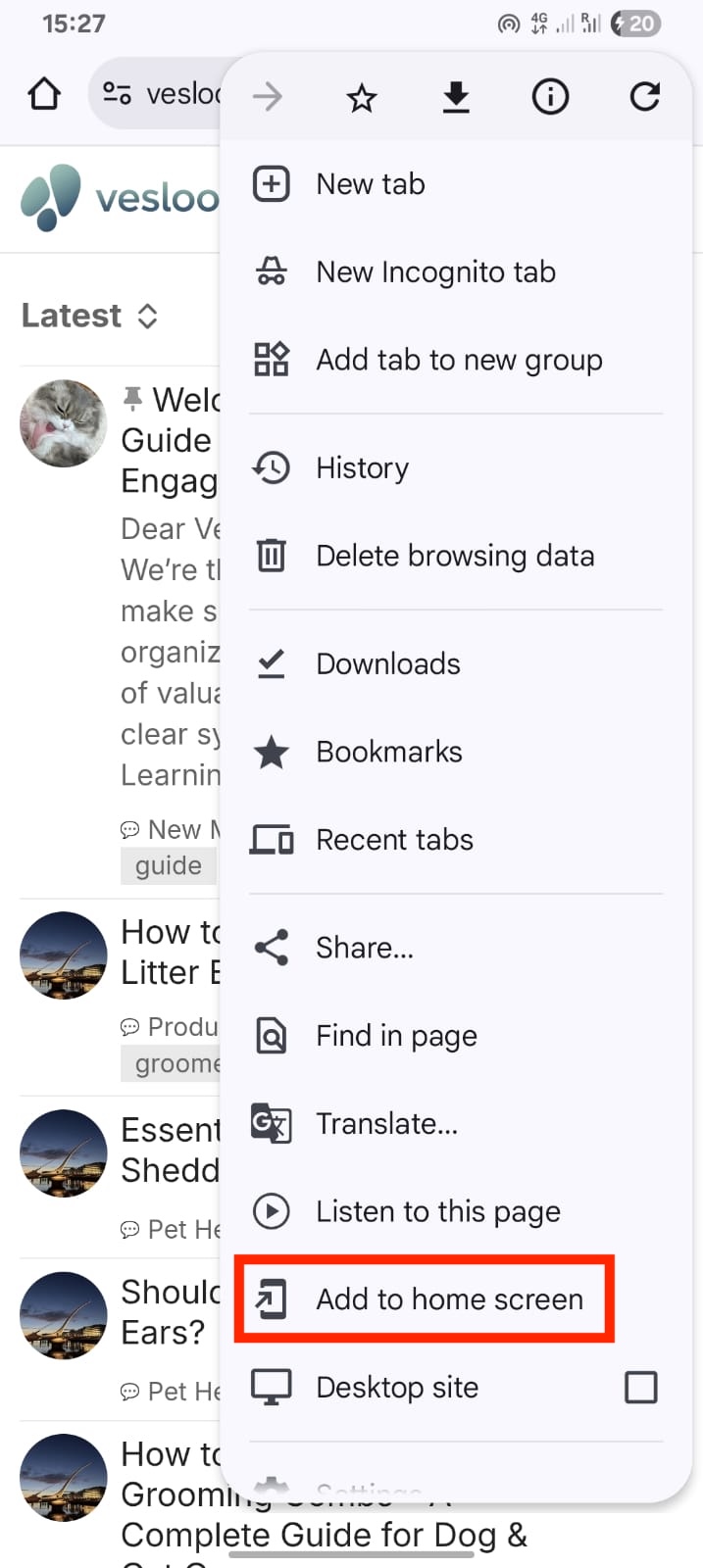
https://www.vesloo.com. - Tap the three-dot menu icon in the top-right corner of the browser.
- In the menu, you’ll see an option like “Add to Home screen” or “Install app”. Tap it.
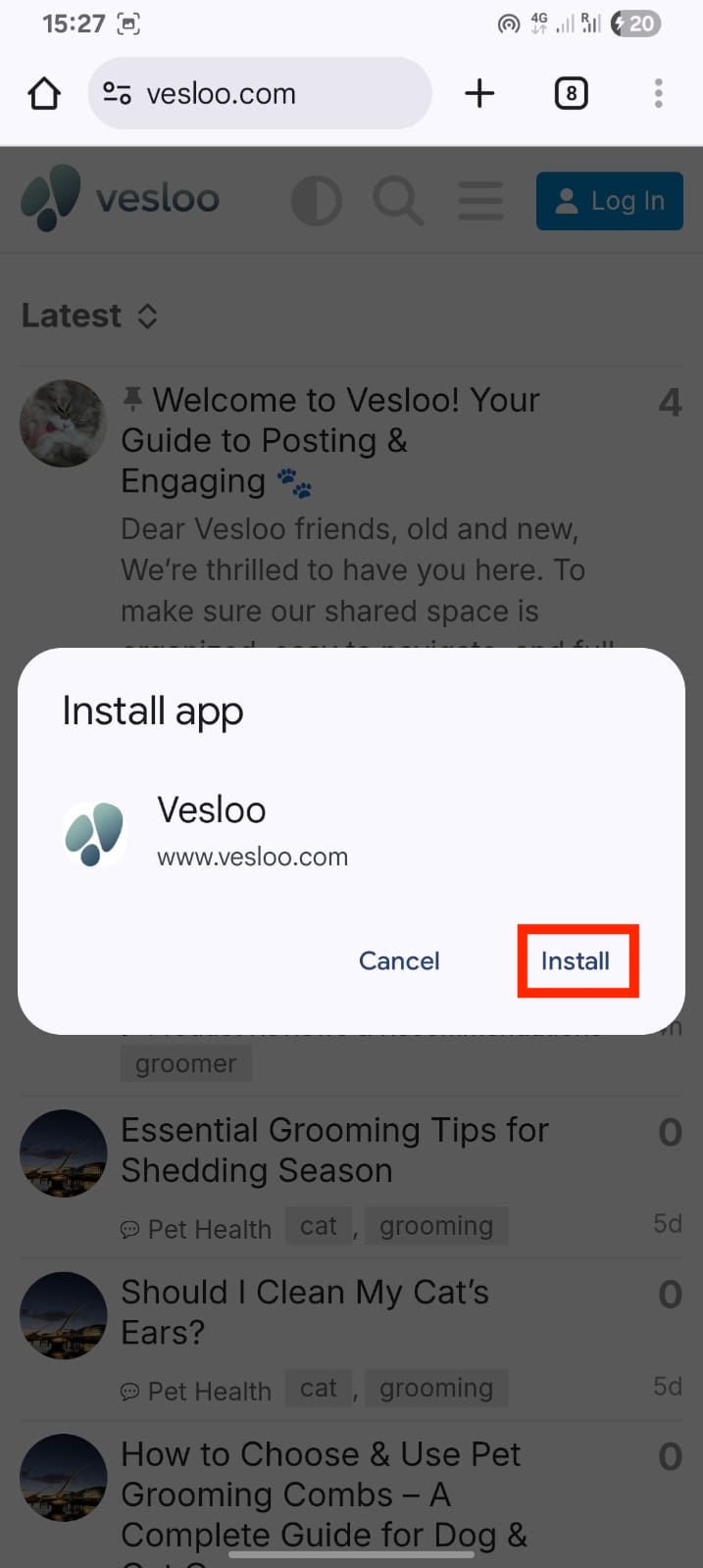
- A pop-up will appear. Confirm by tapping “Install” or “Add”.
step 1
step 2
step 3
The Vesloo app icon will be added to your home screen, making it super easy to stay connected with the community.